Credit cards can become inactive for various reasons, including card expiration or inactivation. If you know the credit card we have on file is out of date or no longer valid, please follow these steps to update your details:
Sign in to your VetFolio dashboard.
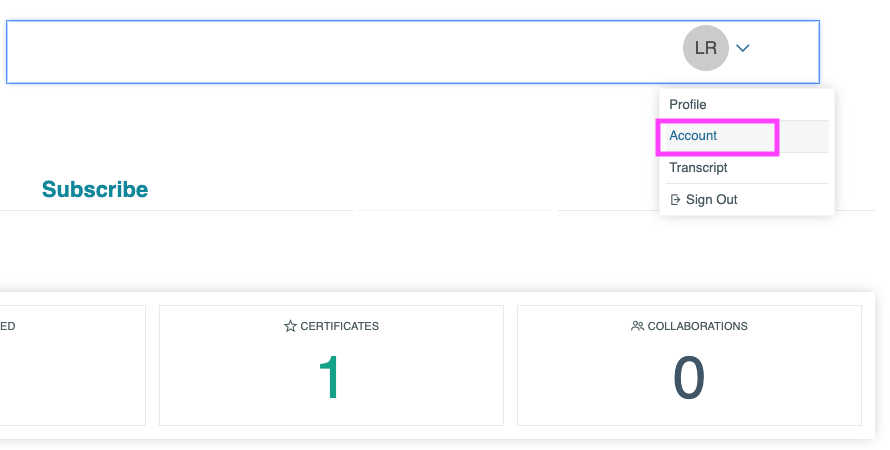
Click to expand the drop-down menu in the upper right corner next to your name.
Select Account to go to the account management page.
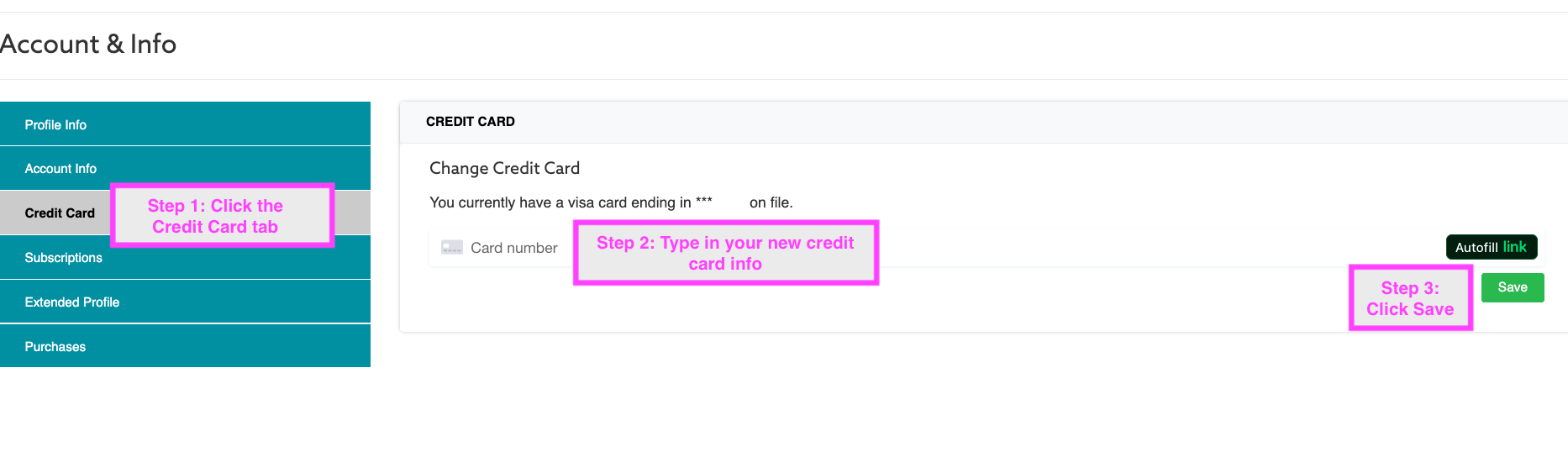
Click Credit Card on the left-hand menu
Enter your new credit card details and click Save.
Note for Team Administrators: If you are an administrator, you will first need to switch to your learner profile to access your account information (either by switching via your profile drop-down or clicking the "Switch to Learner" option in the bottom left of your screen) before following the steps above.
This information will be used for future subscription renewals.
Any issues? Contact support@vetfolio.com or chat us using the blue chat bubble in the lower right-hand corner of the screen.