Edits can be made through March 22, 2026.
First, log into the App or go to connect.navc.com.
CE is added to your session in several ways:
1) When you attend the session and your badge is scanned for OnSite sessions this should be automatically added to your records.
2) When you select to join a Virtual Session and watch the session it should be automatically added to your record. Some of these may not have captured. We recognize the importance of having an accurate ROP(Record of Participation). To support this, we have enabled the ability for you to self-claim your participation in our Live Virtual Sessions as well. You can add them by using the instructions below.
3) When you select the OnDemand button watch the video and take and pass the 5-question quiz the CE will be credited.
OnDemand sessions will not be added until the 5-question quiz is passed.
If a session is missed or missing from your records, search for the session under either the Onsite or Virtual Education tab, then Add CE on the session page.
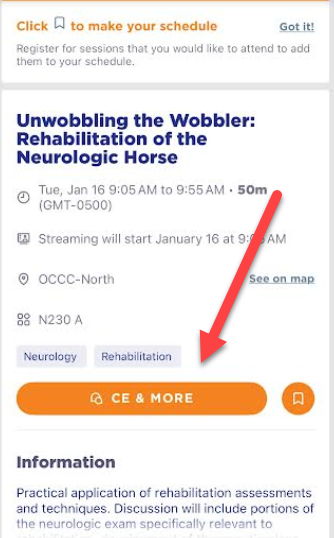
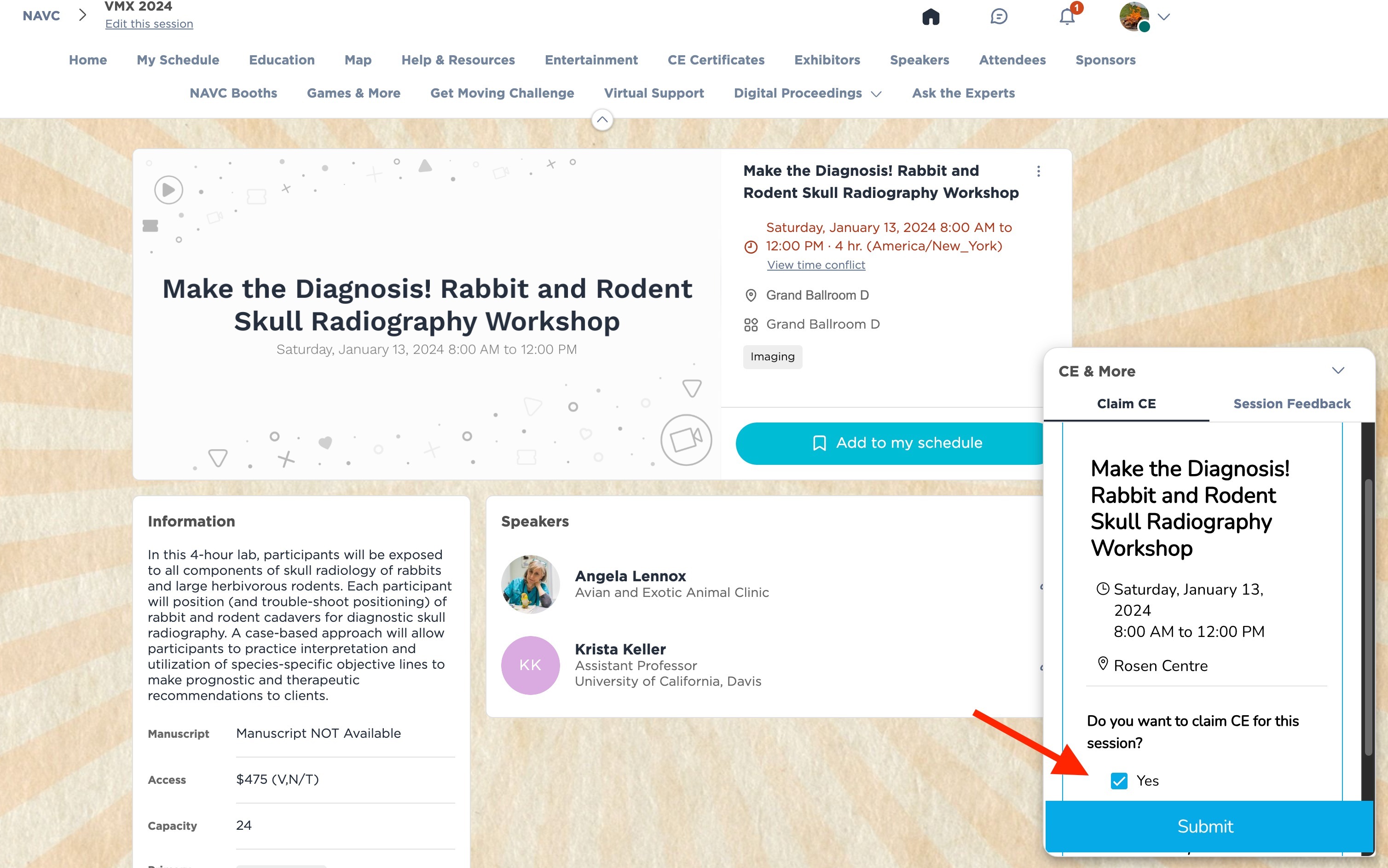
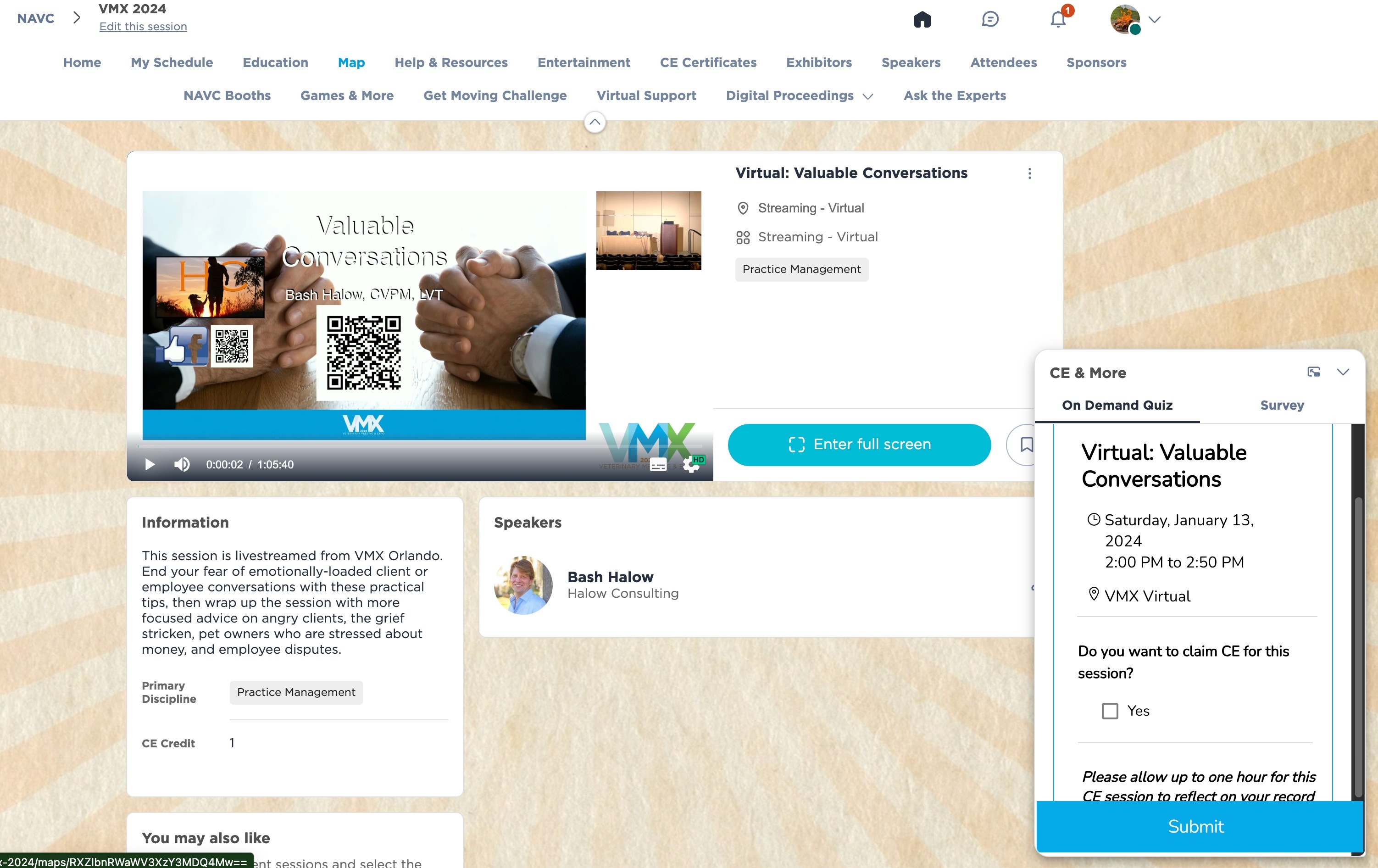
Under the Education tab, search for the missing session. On the bottom right, you will see CE & More.
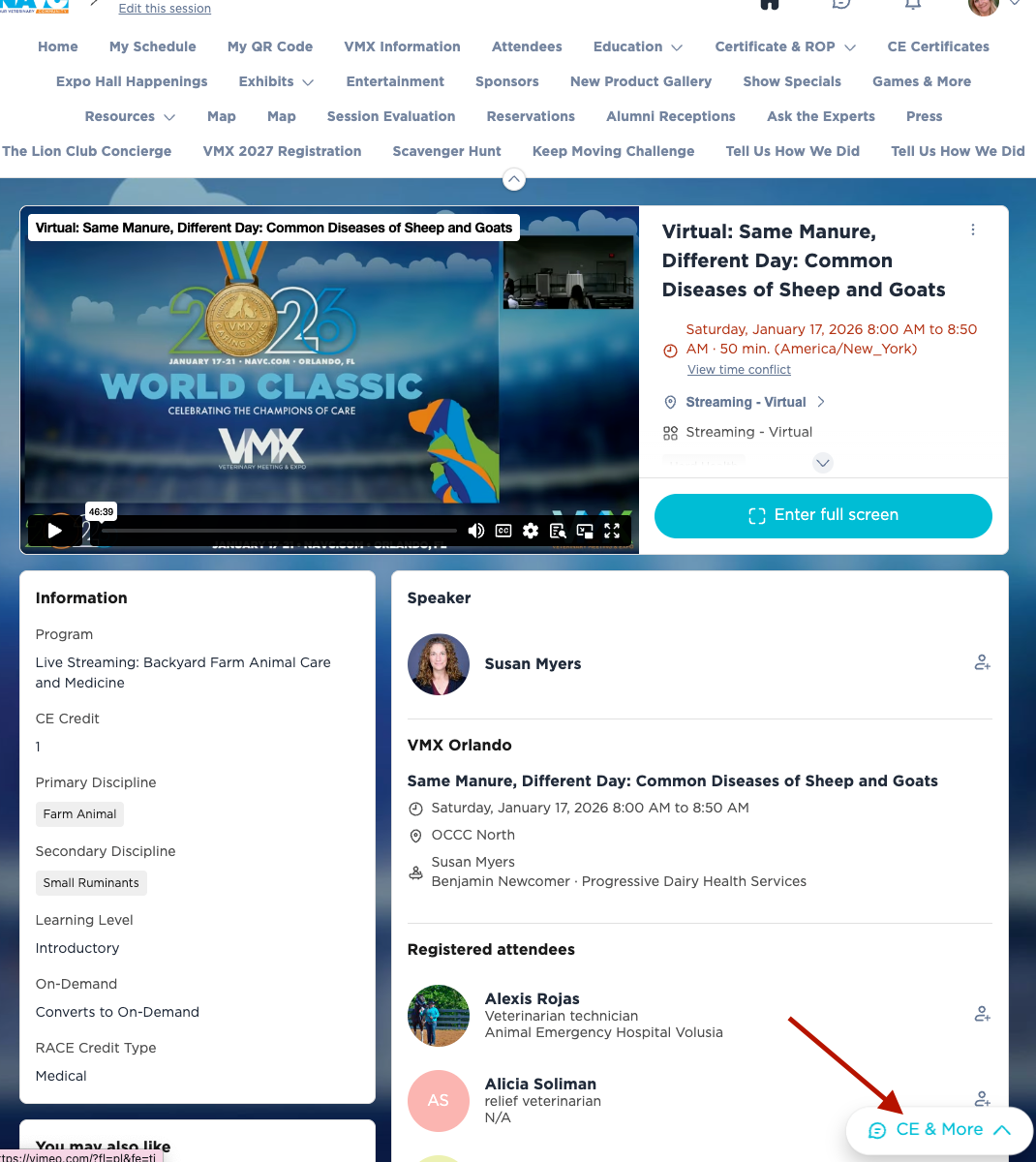
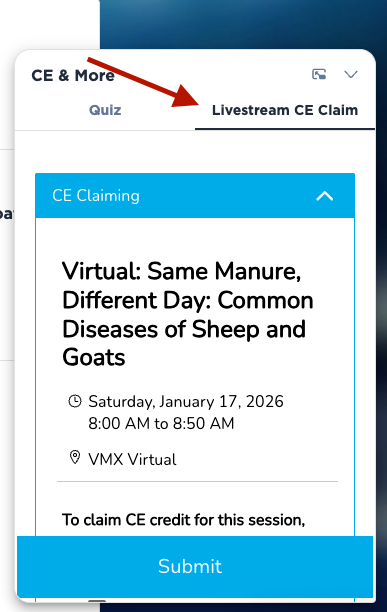
Click to open this and there will be an option to add the CE to your record. If it is a Livestreamed session, you will add by clicking on Livestream CE Claim.
Live Stream CE Claim
TO REMOVE CE
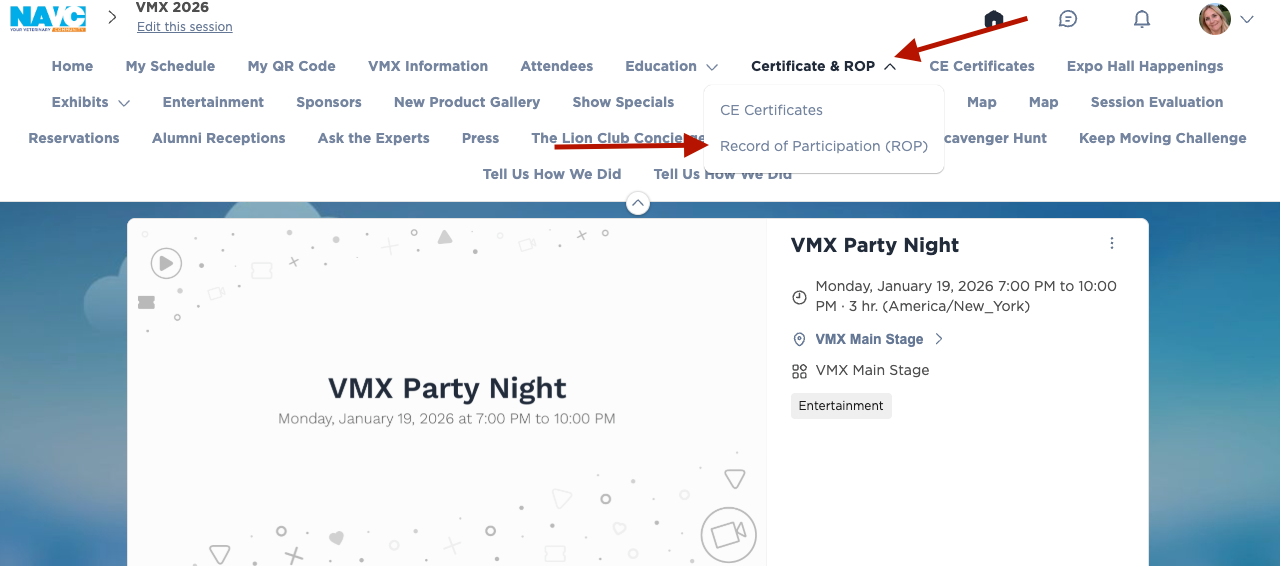
Navigate to Certificate & ROP and click on the dropdown. Choose Record of Participation.
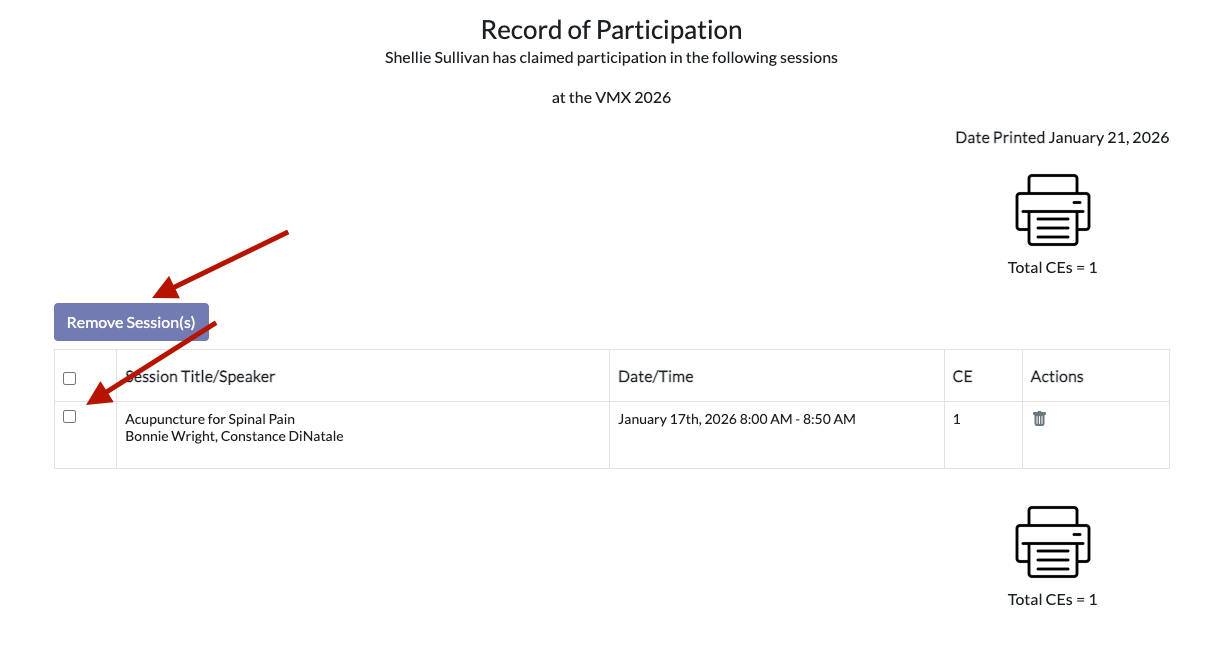
Open your Record of Participation and click on the session(s) you wish to remove. Click Remove Session(s) at the top.
Florida Drug Laws cannot be added by the attendee.
If you need assistance, please email info@navc.com.