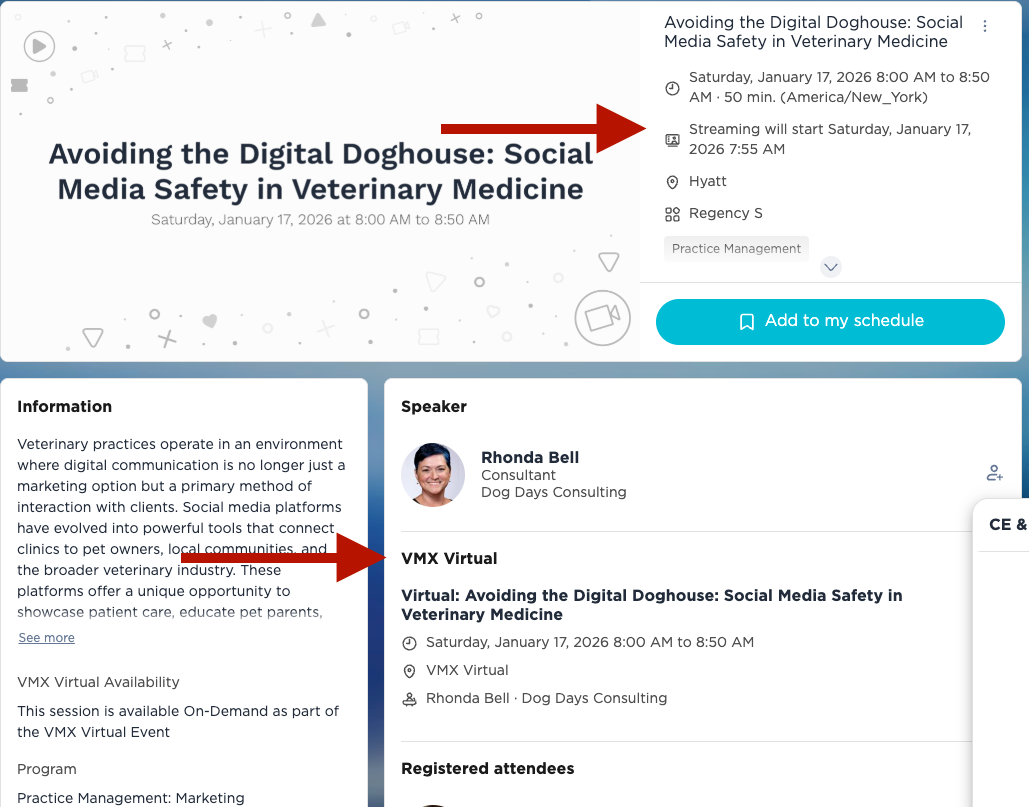
In the NAVC Events App or the VMX Learning Portal on a computer, if you click into the session itself and it says Streaming at the top, and there is a Virtual session showing below with the same title, only Virtual is added to the beginning, this will be available on the virtual schedule and on-demand.
If it only says Streaming, this will be a session that will not be offered on the virtual schedule. These are streaming onsite for overflow access and for those who want to watch the session from outside the room. They will not be offered as OnDemand.
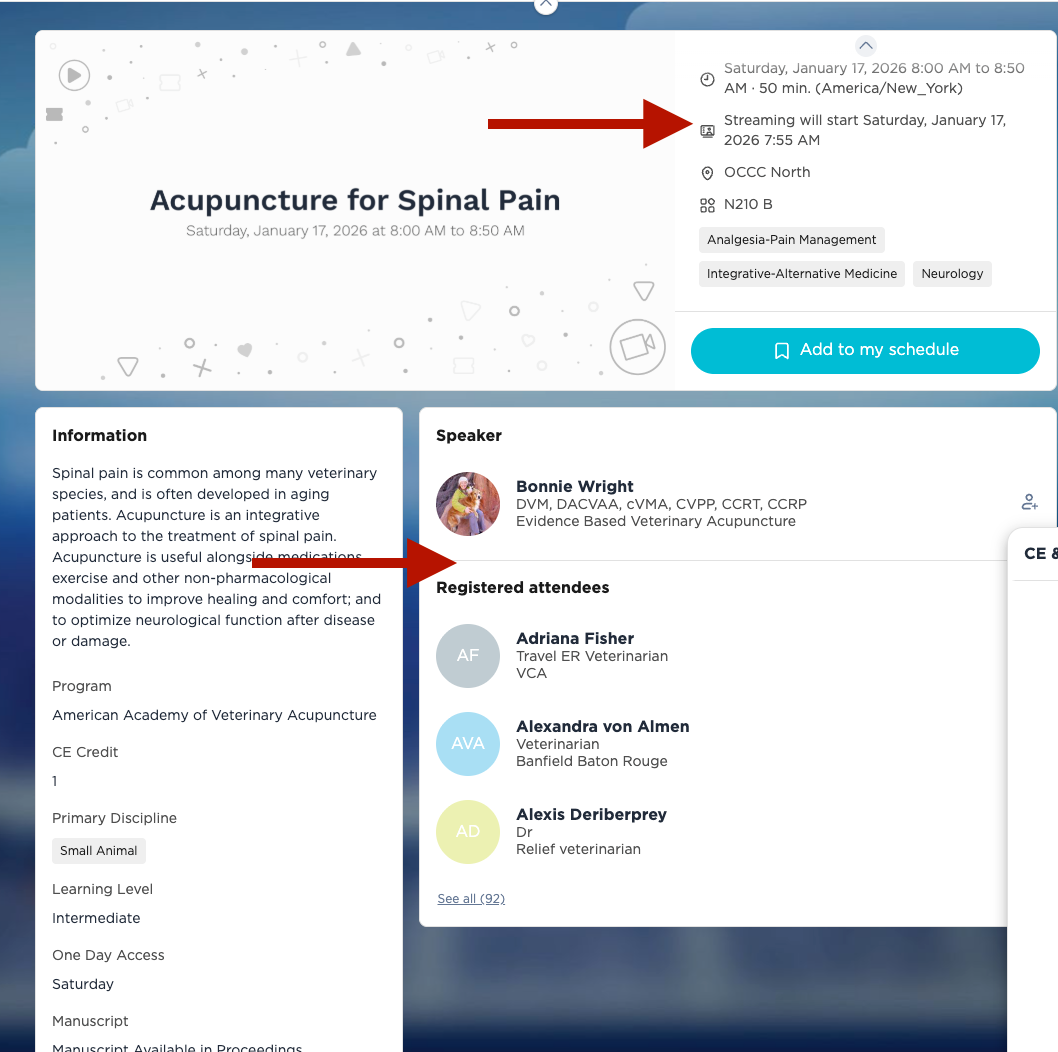
Yes, if it says Manuscript, the speaker(s) have submitted notes for that session that will be included in the proceedings we have for purchase.
Please let us know if you have any other questions.