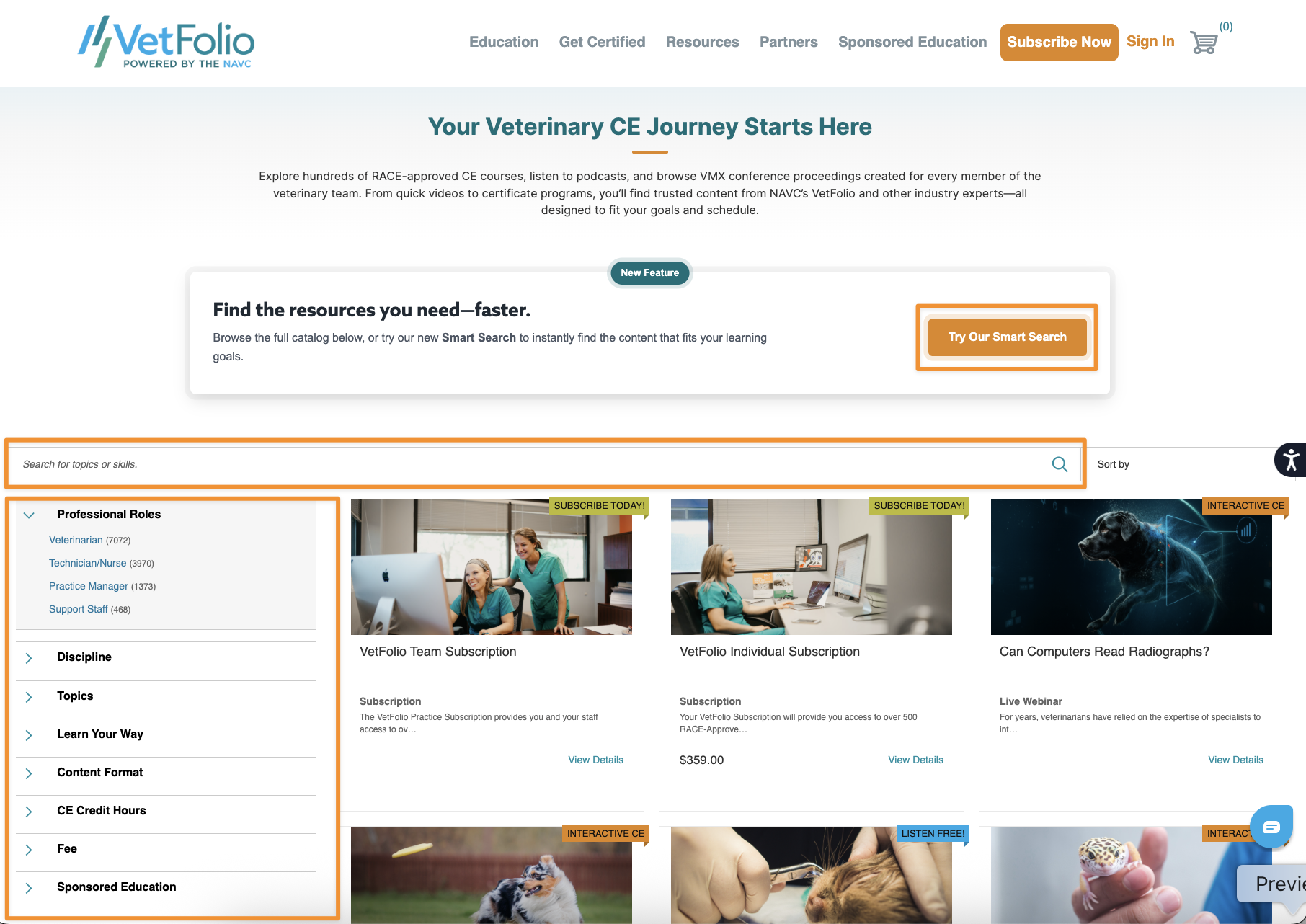
The VetFolio Course Catalog offers several filters on the left-hand side as well as at the top of the page to help you quickly and efficiently locate content relevant to your needs. You can search by keyword using the search bar above the catalog, or use our AI-powered SmartSearch feature to search by keywords, phrases, or specific questions.
The filter menus on the left-hand side allow you to sort content by:
Professional Role (DVM, Nurse, etc.)
Discipline (Canine, Feline, etc.)
Topics (e.g., Dermatology, Preventive Medicine, etc.)
Learn Your Way (Watch, Listen, Read, etc.)
Content Type (Course, CE Article, Podcast, etc.)
CE Credit Hours associated
Fee (Free Access, Included With Subscription, or Premium Content)
Sponsored Education (Filter content by any of our sponsors)
Pro-Tip: You can stack your filters by choosing multiple options from the left and top filter menus alongside your keyword searches.
To remove any active filter, simply click the X to the left of the Filter Criteria.