
Once you have completed content, it will show up on your VetFolio transcript.
To view your transcript:
Log into your VetFolio account.
In the upper-right-hand corner of your screen, click the dropdown arrow by your initials and choose the Transcript option.
From there, you can view your completed coursework, print it as a PDF, or save it as a CSV file to your computer.
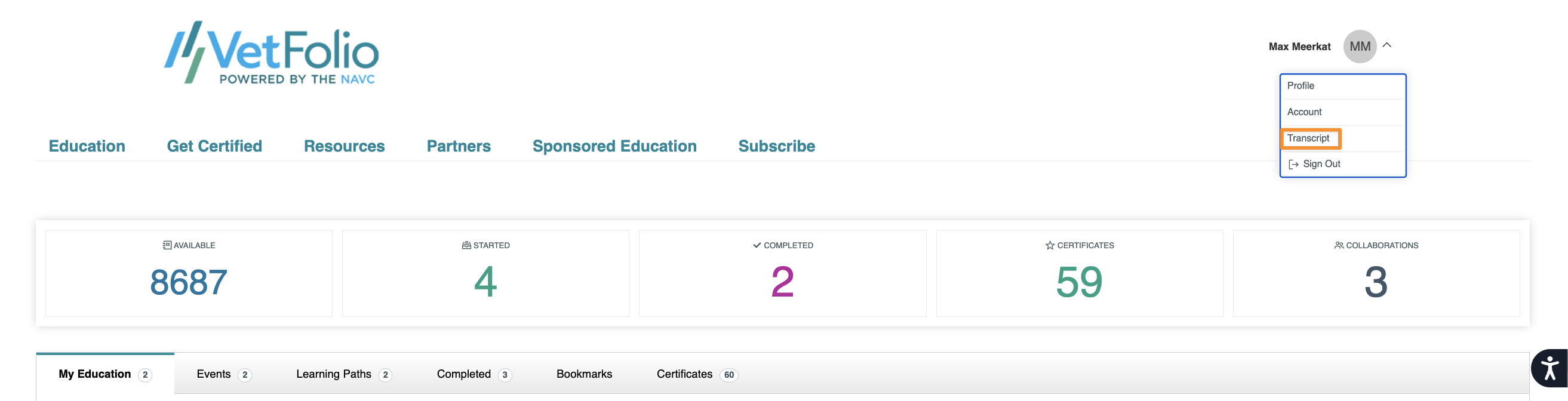
From there, you can view your transcript as well as print the pdf or save it as a csv to your computer.

If you have any questions about what is displaying on your transcript, please email us at support@vetfolio.com or chat with us using the blue chat bubble in the lower right-hand side of your screen!